Webmin
Webmin is a popular website and open-source web-based system administration tool for Unix-like servers, with downloads, documentation, modules, community support, source code, and domain registration data.
What Webmin is
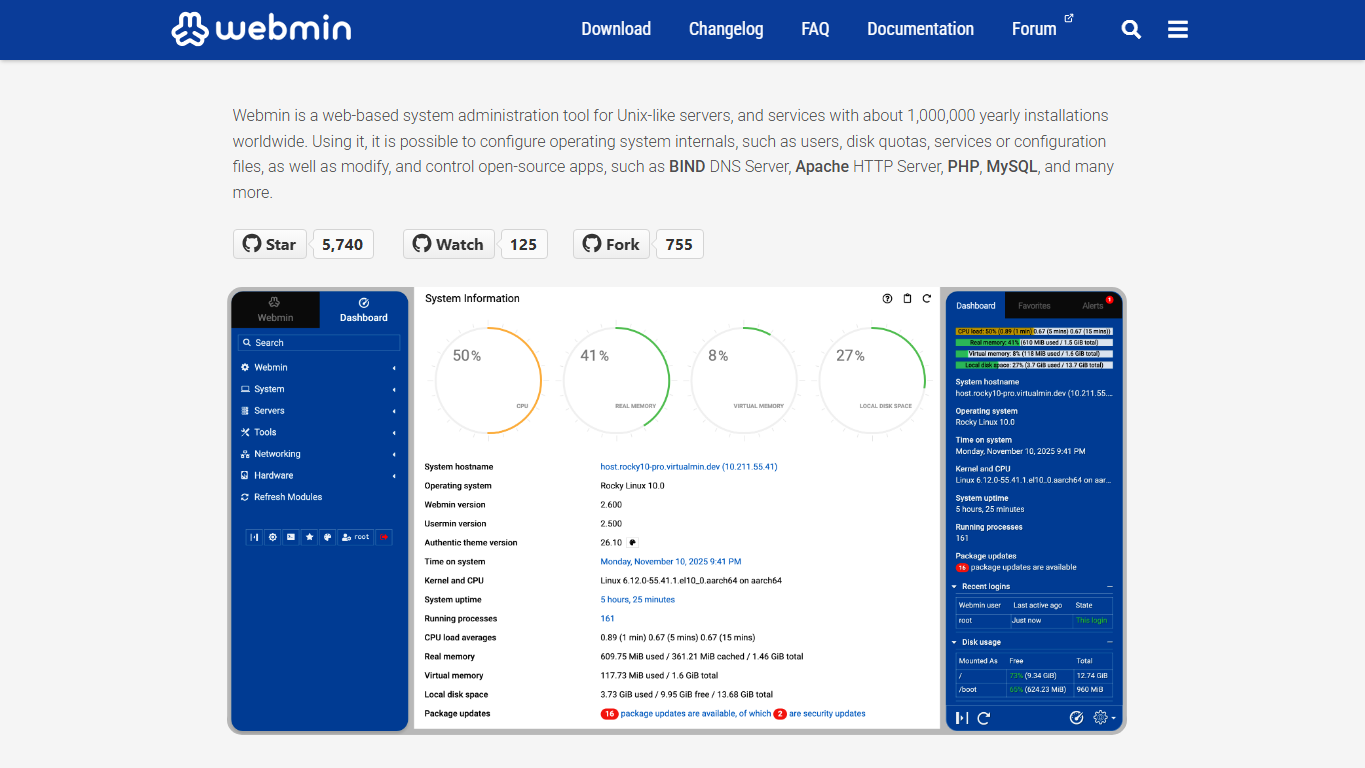
Webmin is a popular website for a web-based system administration tool used with Unix-like servers. The project describes Webmin as a way to configure operating system internals and open-source server applications through a browser interface. Its website brings together downloads, documentation, changelogs, a forum link, and the public GitHub repository.
Server administration role
Webmin sits close to the operating system rather than acting only as a website hosting dashboard. It can help manage users, disk quotas, services, configuration files, package updates, scheduled jobs, logs, network settings, and applications such as web servers, DNS servers, mail services, PHP, and databases. That makes it useful when someone needs a broad administration panel, not just a customer-facing hosting account screen.
Modules and scope
The documentation is organized around modules, which are the parts of Webmin that handle specific services or system areas. A module-based design lets administrators work on many server jobs from one interface while still keeping each task framed around the underlying service. The tradeoff is that users need to understand what the module is changing, because the panel is often writing real system configuration.
Downloads and installation
The download page provides installation guidance for package repositories, RHEL and Debian derivatives, source installs, older versions, development builds, and checksum verification. Those details matter because Webmin is installed on real servers, where package source, version choice, and verification habits can affect maintenance and security over time.
Documentation and community
Webmin's documentation covers introduction material, modules, configuration areas, system tools, servers, and application-specific settings. The official navigation also points users to a Webmin category on the Virtualmin forum, while the GitHub repository is where source code, project history, issues, and development activity can be inspected. Together, these resources make the site more than a download page.
Who uses Webmin
Webmin is used by system administrators, hosting operators, developers, technical site owners, students, and small teams that need a browser-based way to manage Unix-like servers. It can be attractive for people who want more direct server administration than a managed hosting dashboard provides, but still want a structured interface for repeated tasks.
How it differs from hosting panels
Webmin overlaps with hosting control panels, but its emphasis is broader system administration. Products such as cPanel, Plesk, DirectAdmin, CloudPanel, RunCloud, ServerPilot, and GridPane often focus on website hosting workflows, customer accounts, WordPress stacks, or cloud-server deployment. Webmin is more general: it exposes many operating system and service controls, which can be powerful when used carefully.
Why it matters
A server panel affects who can maintain infrastructure and how confidently they can do it. Webmin matters because it gives administrators a long-running, open-source interface for routine system work while still leaving the server under their control. For learning, small operations, and mixed-service servers, that combination can reduce friction without hiding the underlying machine completely.
WHOIS domain data
Data pulled: May 21, 2026View current WHOIS record
- Domain
- webmin.com
- IP address
- 216.105.38.11
- Registrar
- Network Solutions, LLC
- WHOIS server
- whois.networksolutions.com
- Referral URL
- http://networksolutions.com
- Created
- September 5, 1997
- Updated
- July 21, 2024
- Expires
- September 4, 2027
- Nameservers
- vultr.webmin.com (45.76.69.64); webmail.webmin.com (44.217.106.106)
- Domain status
- clientTransferProhibited
- DNSSEC
- unsigned