JSFiddle
JSFiddle is a popular online code playground for writing, running, sharing, embedding, and troubleshooting small HTML, CSS, and JavaScript examples called fiddles.
What JSFiddle is
JSFiddle is an online playground for front-end code. Visit JSFiddle.net to create small web examples that combine HTML, CSS, JavaScript, and a live preview in one shareable page. Its format made it useful for quick experiments because a reader can see both the code and the result without cloning a repository or setting up a local project.
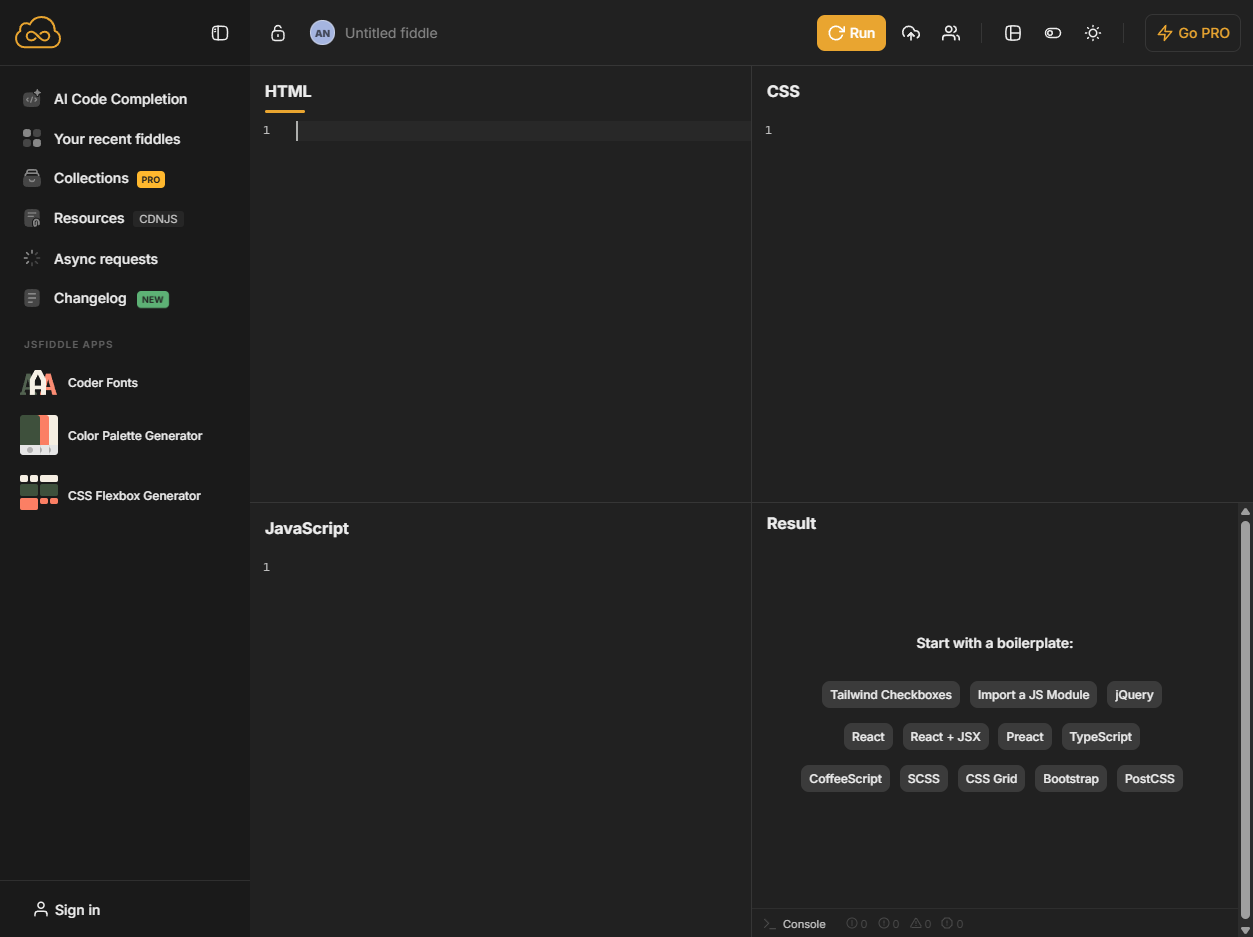
Fiddles and panels
A JSFiddle example is commonly called a fiddle. The interface is built around panels for markup, styling, scripts, and output, so a small idea can be separated into the same pieces a browser uses to render a page. That structure keeps examples compact, readable, and easy to compare when a user is learning an API, reproducing a layout issue, or demonstrating a browser behavior.
Live results
The result panel is what turns JSFiddle from a code paste into a working demonstration. After code is run, the page shows the rendered output, letting the author test interactions, visual changes, and script behavior quickly. This immediacy is especially useful for front-end problems where the important evidence is not only the source code but also how the browser displays it.
External resources and settings
JSFiddle supports external resources and panel settings, which lets a fiddle pull in libraries, stylesheets, frameworks, or configuration needed for a specific example. This helped developers create small demos that resemble real conditions without turning every test into a full application. The tradeoff is that old fiddles can depend on external URLs or library versions that later change.
Sharing, embeds, and examples
One reason JSFiddle spread widely was that fiddles could be shared as links or embedded into other pages. Tutorials, blog posts, documentation pages, and forum answers used this pattern to show runnable examples next to explanation. The embedded-demo format gave readers a way to inspect the moving parts of a small feature without leaving the article or answer they were reading.
Debugging and support posts
JSFiddle became closely associated with support culture on the web. A developer could reduce a problem to a minimal example, share the fiddle, and let other people inspect or adjust the code. This made it valuable for Stack Overflow answers, bug reports, GitHub issue discussions, and quick reproductions where a full repository would be too much overhead.
Collaboration and limits
JSFiddle can support live code collaboration, but it is still best understood as a snippet playground rather than a complete development environment. It is not meant to replace source control, build tooling, production hosting, package management, or large-project structure. Its strength is the small, focused example that can be opened, understood, and changed in a browser.
Why it matters
JSFiddle helped normalize the idea that code examples on the web should be runnable, shareable, and inspectable. Alongside later playgrounds and sandboxes, it shaped how developers teach front-end ideas, report browser issues, and discuss interface bugs in public. Its lasting value is not just the site itself but the lightweight habit it encouraged: reduce the problem, show the code, and let the result speak.