ClickUp
ClickUp is a popular work management website for tasks, docs, projects, goals, dashboards, automations, collaboration, and team productivity workflows.
What ClickUp is
clickup.com is the official website for ClickUp, a cloud-based work management platform used to plan, track, discuss, and report on team work. The site introduces ClickUp's product areas, pricing, templates, integrations, AI features, customer stories, help resources, and account access. For many visitors, it is a starting point for comparing ClickUp with project management tools, collaborative docs, spreadsheet trackers, chat apps, and all-in-one workspace platforms.
Tasks, lists, and spaces
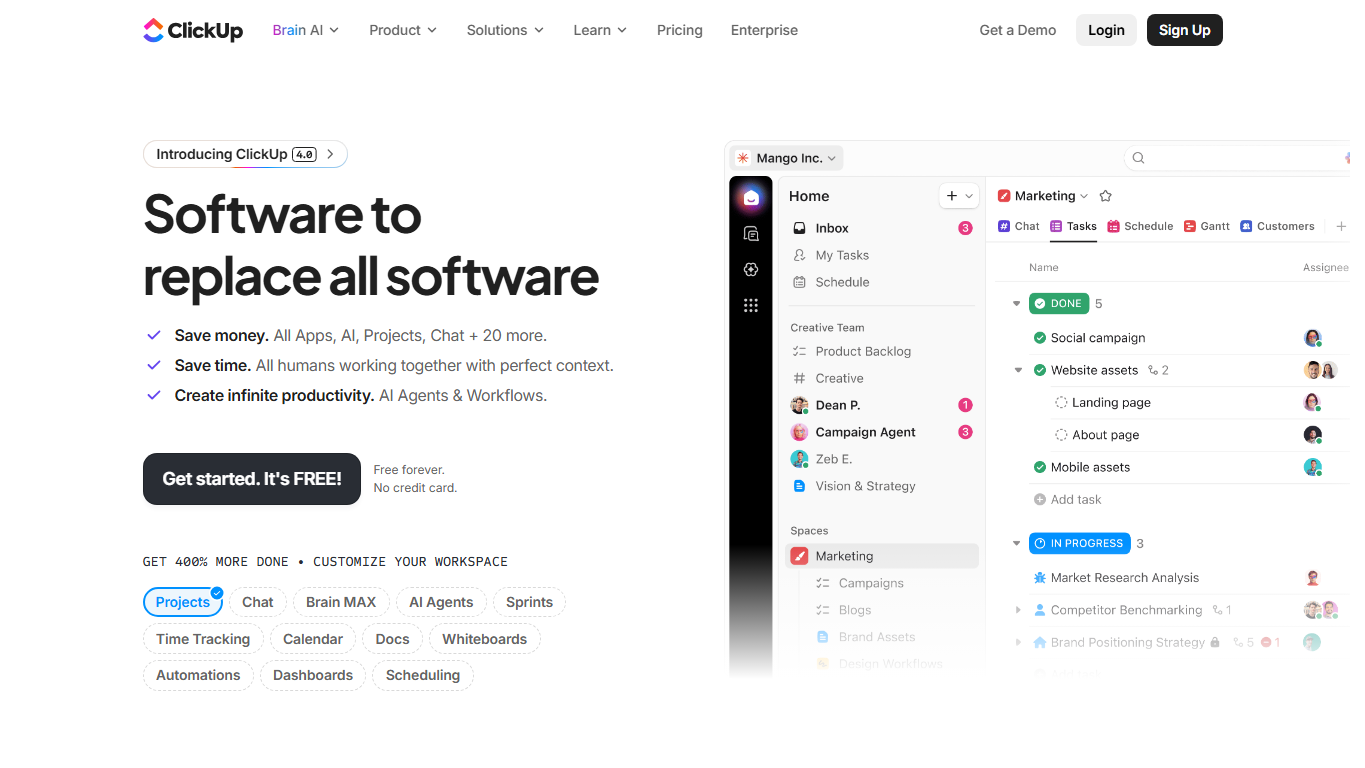
ClickUp organizes work through a hierarchy that can include workspaces, spaces, folders, lists, tasks, subtasks, custom fields, and views. A team can use the same underlying task data as a list, board, calendar, Gantt chart, timeline, workload view, table, or dashboard. This flexibility lets different departments shape ClickUp around software sprints, marketing campaigns, client projects, content calendars, hiring pipelines, support queues, or internal operations.
Docs, goals, and dashboards
Beyond tasks, ClickUp includes documents for notes, briefs, requirements, knowledge bases, and process pages. Goals help teams connect everyday work to measurable outcomes, while dashboards surface progress, assignments, workloads, time estimates, priorities, and project health. These features are designed to reduce the distance between planning, documentation, execution, and reporting.
Automation and connected work
ClickUp automations can update task fields, assign people, post comments, change statuses, create follow-up work, and trigger actions when rules are met. Integrations connect ClickUp with communication, file storage, calendar, development, CRM, design, and support tools. The goal is to keep handoffs visible and reduce repeated manual updates, though teams still need clear process rules before automation becomes useful.
Who uses ClickUp
ClickUp is used by project managers, agencies, startup teams, product managers, software teams, marketing departments, operations teams, customer success teams, consultants, creators, and executives who need a shared system for planning and accountability. Small teams may use it as a central workspace, while larger organizations may use it for specific departments, client delivery, product roadmaps, campaign planning, or cross-functional reporting.
AI and collaboration features
ClickUp's website increasingly presents the platform around productivity for people and AI-assisted work. Collaboration features can include comments, mentions, docs, chat, clips, notifications, whiteboards, forms, and shared views. AI-related features are positioned as ways to summarize, draft, search, answer questions, and speed up routine knowledge work, but the exact availability depends on plan, product changes, and workspace configuration.
Pricing and setup choices
ClickUp pricing varies by plan, user count, billing term, storage, guests, dashboards, automations, permissions, AI add-ons, security controls, and support needs. A useful evaluation usually starts with one or two real workflows rather than a blank workspace. Teams should decide naming conventions, statuses, ownership rules, template standards, and notification habits before rolling ClickUp out broadly.
Strengths and cautions
ClickUp's strength is configurability: many teams can build a workflow that fits how they already operate. That same flexibility can become a weakness if every team builds a different structure, creates too many fields, or treats ClickUp as a place to duplicate work from other systems. The best deployments usually balance customization with governance, simple templates, and clear rules about what information belongs in ClickUp.
Why it matters
Work management platforms matter because teams often lose time coordinating across spreadsheets, chat threads, meetings, and disconnected task lists. ClickUp tries to place planning, execution, knowledge, communication, and reporting in one workspace. When it is configured thoughtfully, that can make priorities clearer and handoffs easier; when it is configured loosely, it can become another complex system to maintain.
WHOIS domain data
Data pulled: May 20, 2026View current WHOIS record
- Domain
- clickup.com
- IP address
- 3.170.3.69
- Registrar
- Amazon Registrar, Inc.
- WHOIS server
- whois.registrar.amazon
- Referral URL
- http://registrar.amazon.com
- Created
- July 5, 2001
- Updated
- May 31, 2025
- Expires
- July 5, 2026
- Nameservers
- ns-1480.awsdns-57.org (205.251.197.200); ns-1962.awsdns-53.co.uk (205.251.199.170); ns-769.awsdns-32.net (205.251.195.1); ns-298.awsdns-37.com (205.251.193.42)
- Domain status
- clientDeleteProhibited, clientTransferProhibited, clientUpdateProhibited
- DNSSEC
- unsigned
- Contact privacy
- Registrant and technical contacts are listed through Identity Protection Service on behalf of the clickup.com owner.
- Source
- https://who.is/whois/clickup.com